InfinitePIP
A downloadable tool for Windows and macOS
InfinitePIP - Ultimate Picture-in-Picture for Desktop
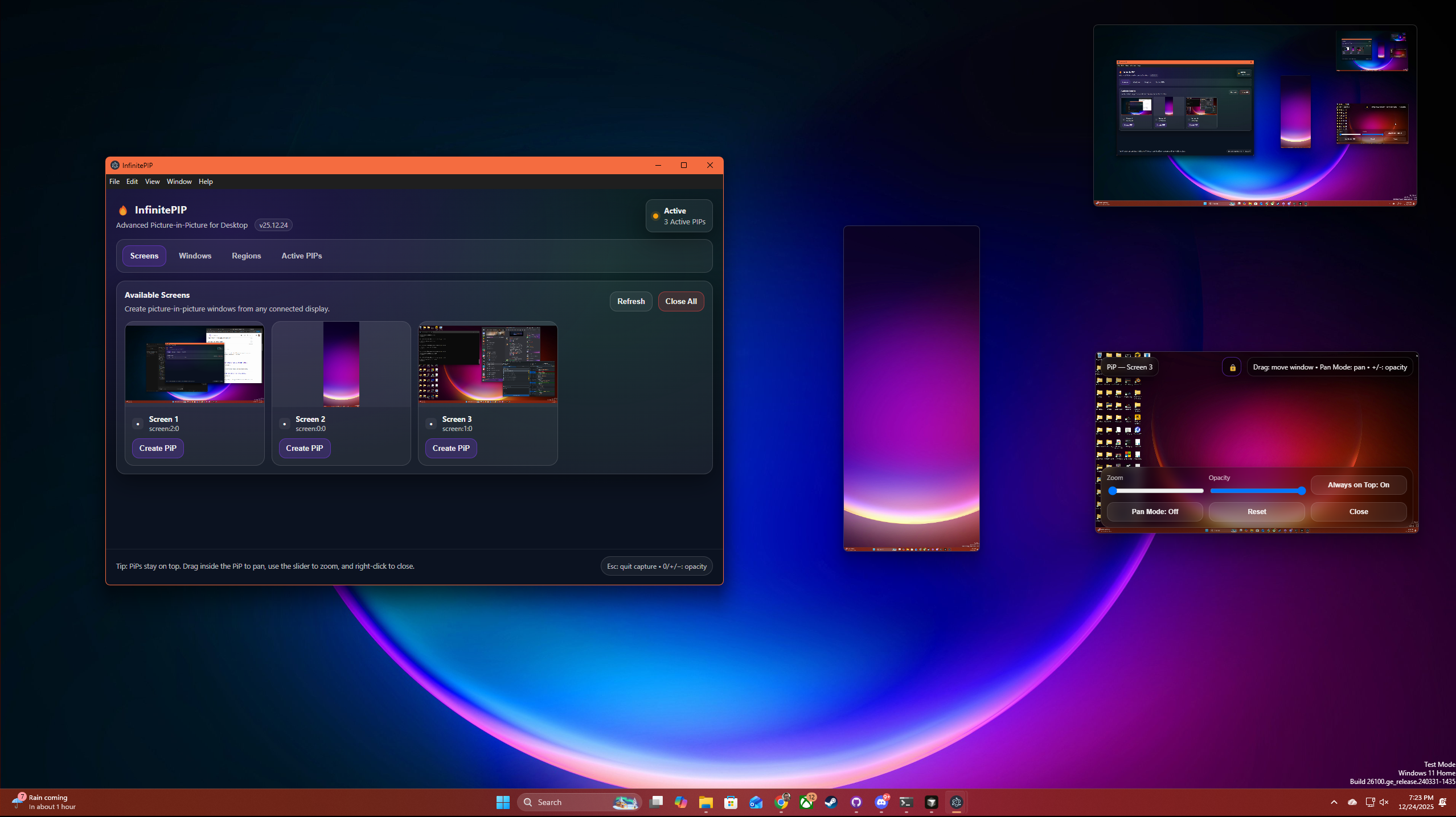
Transform your multitasking experience with InfinitePIP, the most advanced picture-in-picture application for Windows. Create unlimited floating windows that display any content from your desktop in real-time.
🚀 Key Features:
- Multi-Source Capture: Monitor entire screens, specific application windows, or custom screen regions
- Real-Time Performance: Smooth 30 FPS capture with optimized screen recording
- Advanced Controls: Adjustable opacity, always-on-top mode, and precise window resizing
- Modern Interface: Clean, intuitive tabbed interface with system tray integration
- Visual Selection: Camera-style overlay for selecting exact screen regions
Perfect For:
- Developers monitoring logs while coding
- Content creators watching streams while editing
- Traders tracking multiple data feeds
- Students following tutorials while taking notes
- Gamers keeping chat visible during gameplay
Download now and revolutionize how you work with multiple applications. No subscriptions, no limits, just pure productivity enhancement.
New Feature!
Command-line launch (Thanks to ubeogesh for the suggestion!)
Open PiPs by HWND without setting up the picker every session. Launch InfinitePIP from a script or AutoHotkey and pin any window to your desktop by its handle — set position, size, opacity, and zoom from the command line. Ideal for multiboxing: run extra windows on a virtual monitor and keep small previews tiled on your main screen.
Single preview
InfinitePIP.exe --no-main --hwnd 920540 --x 640 --y 360 --width 320 --height 180
Multiple boxes in one launch
InfinitePIP.exe --no-main --hwnd 920540 --x 640 --y 360 --width 320 --height 180 --name "Box 1" --hwnd 920541 --x 960 --y 360 --width 320 --height 180 --name "Box 2"
Get HWNDs from AutoHotkey (WinGetID) or any tool that returns the decimal window handle. Use --no-main to skip the picker and open floating previews directly.
Supported flags
--hwnd— capture a window by HWND (decimal or0xhex)--x,--y— PiP position on your desktop--width,--height— PiP size (handy for small tiles below game resolution)--screen— capture a monitor by index (including virtual displays)--opacity,--zoom— initial fade and scale--name— custom label on the PiP HUD--no-main— hide the source picker; only PiP windows stay open--help— full usage
Download
Click download now to get access to the following files:
Leave a comment
Log in with itch.io to leave a comment.