Virtual Drivers for macOS
A downloadable tool for macOS
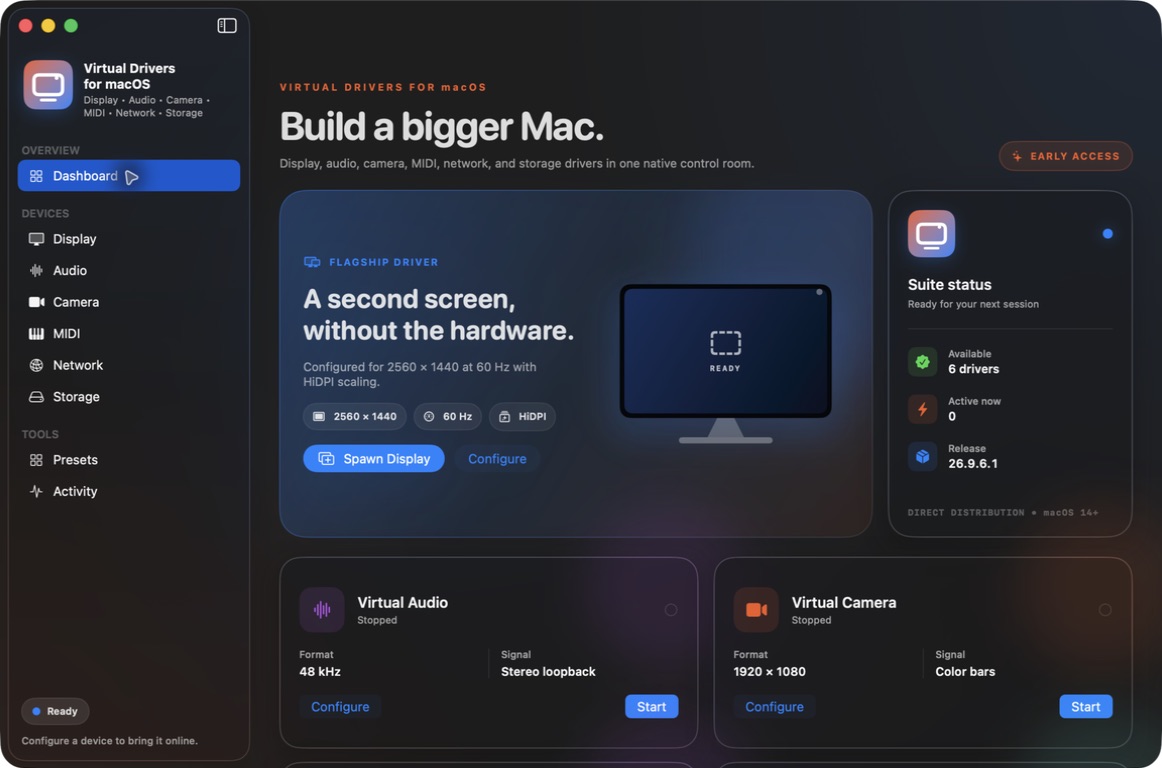
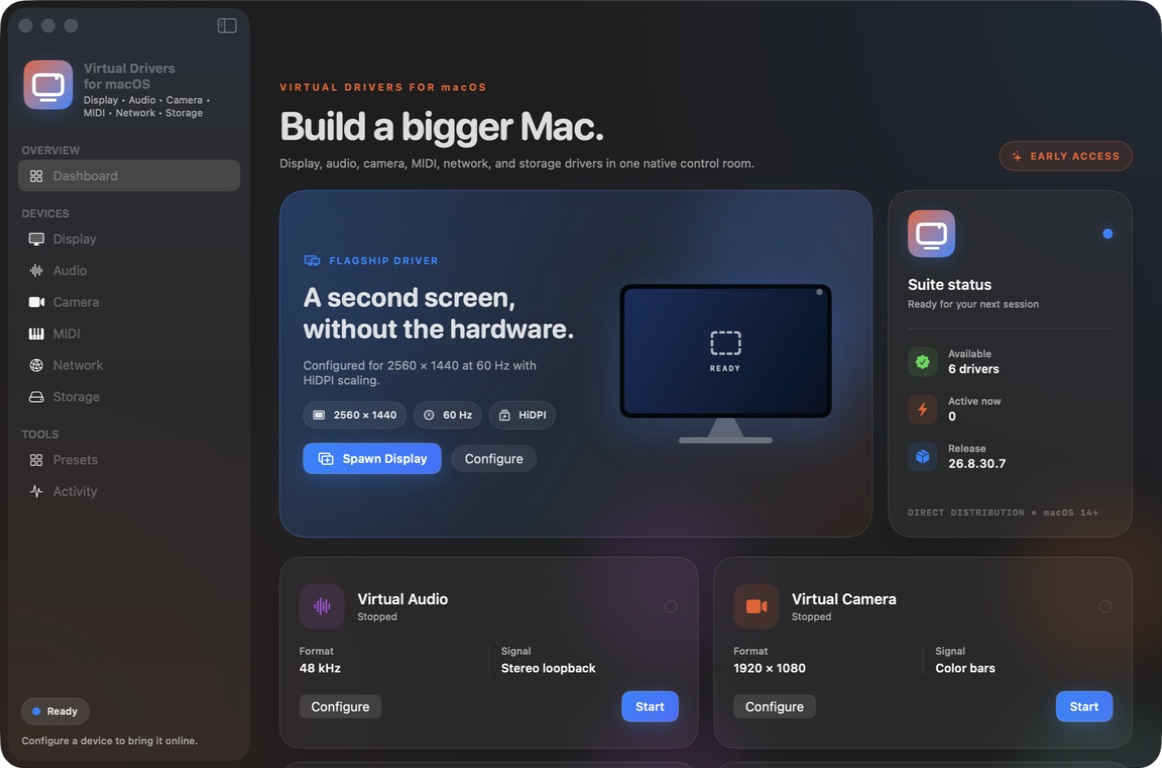
Seven virtual-device tools. One Mac app.
Virtual Drivers for macOS creates real virtual displays, audio cables, cameras, MIDI endpoints, HID devices, private packet interfaces, and disk images from a native Mac workspace.
From the developers of the Windows Virtual Display Driver and Audio Driver, and the Linux Virtual Display Driver.
Early Access · $14.99 · Version 26.10.5.6 (build 41)
Workflow shortcuts and advanced controls
Start with 28 workflow profiles for streaming, remote work, video meetings, presentations, music, game controls, private networking, and portable storage. Profiles configure the next device so you can review its settings before starting. Your selected sources, routes, peer credentials, and backing locations are retained.
Each of the seven drivers has its own Advanced section for the supported controls: display modes and color gamut, audio channel routes and delays, camera transforms, MIDI filters, HID identity and axis ranges, private network routes and IPv6, and storage encryption and mount options.
Virtual Display
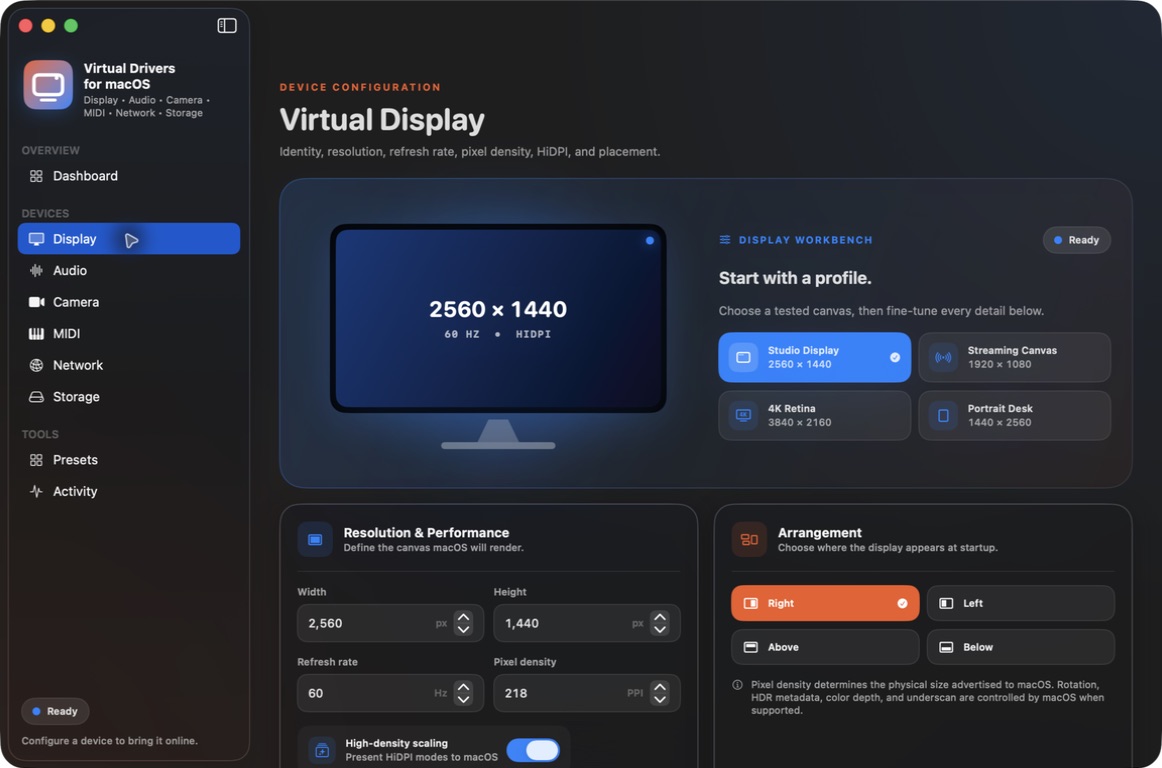
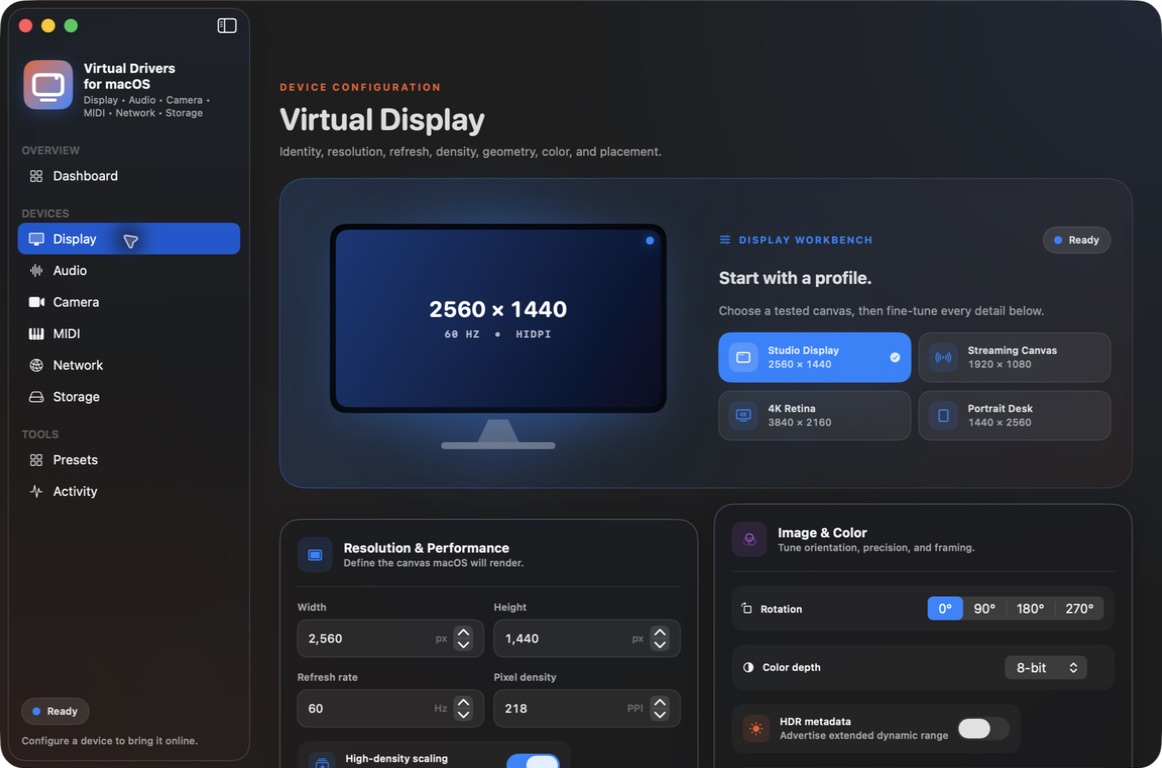
Create multiple session-scoped displays with names and hardware identifiers, up to 16 advertised modes, fractional refresh settings from 23–240 Hz, pixel density, HiDPI scaling, sRGB or Display P3 wide-gamut SDR, and placement. Use workflow profiles for 1080p/4K streaming, a portrait workspace, or high refresh output. The CLI can list actual modes, switch an active display, and change its position. macOS can normalize fractional refresh rates or reject an advertised mode; query the runtime values for the actual output.
The display backend uses Apple's undocumented CoreGraphics virtual-display interface. Compatibility can vary with macOS updates. Displays last while the app is running; HDR and display rotation are not offered.
Audio Cables + Mixer
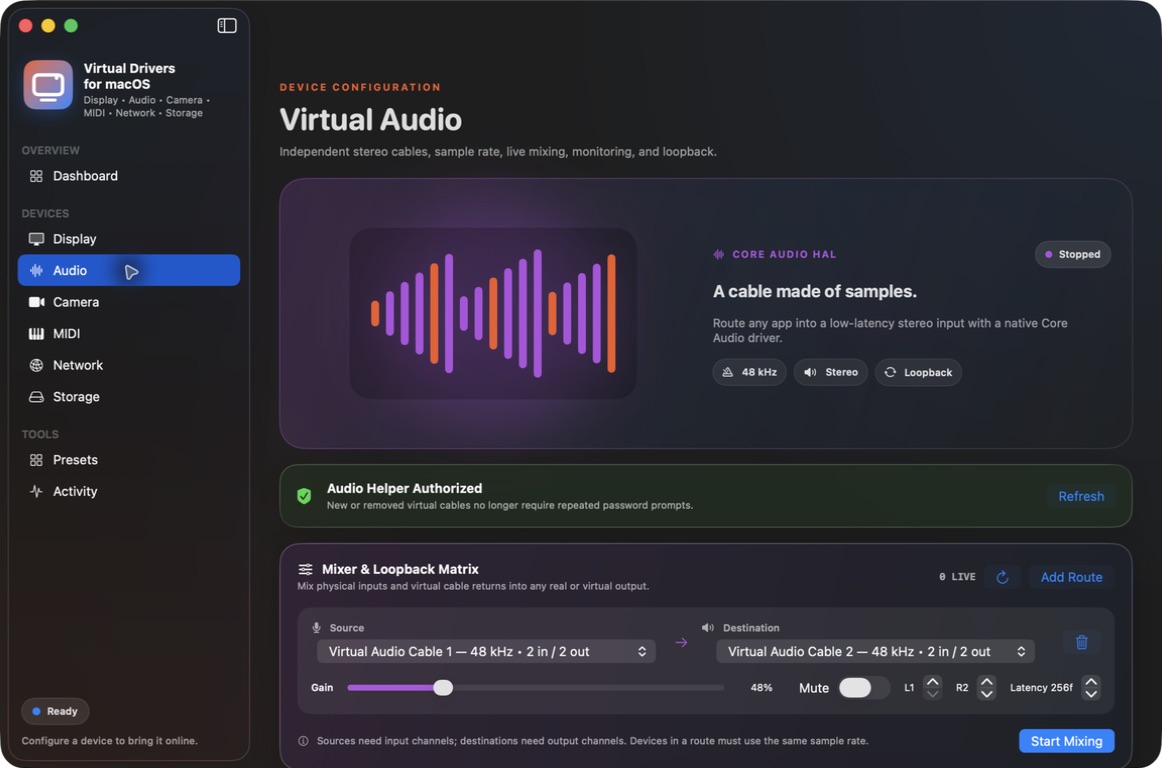
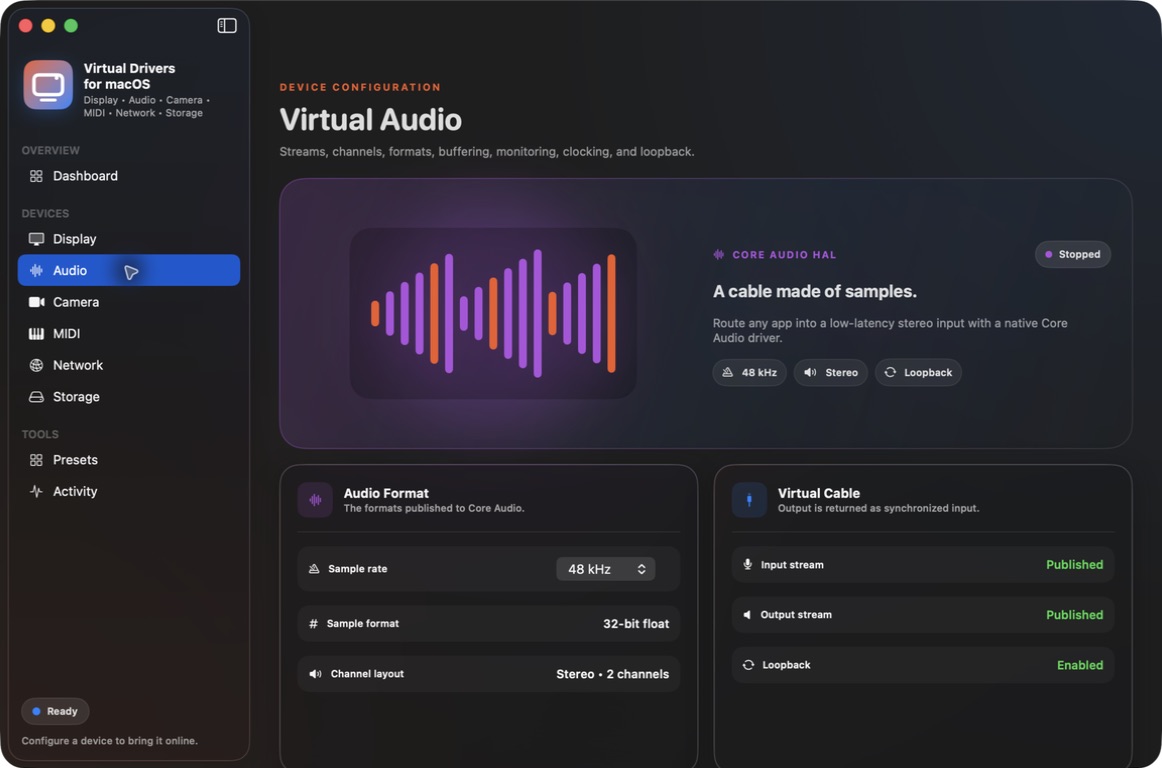
Up to eight independent stereo Core Audio loopback cables support 44.1/48 kHz, 32-bit float I/O, custom names/manufacturers, master volume, and mute. Route microphone or cable inputs into speakers, external interfaces, or other cables. Routes sharing a destination are mixed with live gain, mute, channel selection, and sample delay.
Band-limited sample-rate conversion and adaptive buffering accommodate different device clocks. Streams must use native 32-bit float PCM. Select a cable as an application's audio output; the mixer does not capture individual application processes directly. Changing route topology or installing/removing cables can briefly interrupt audio.
Real-source Virtual Cameras
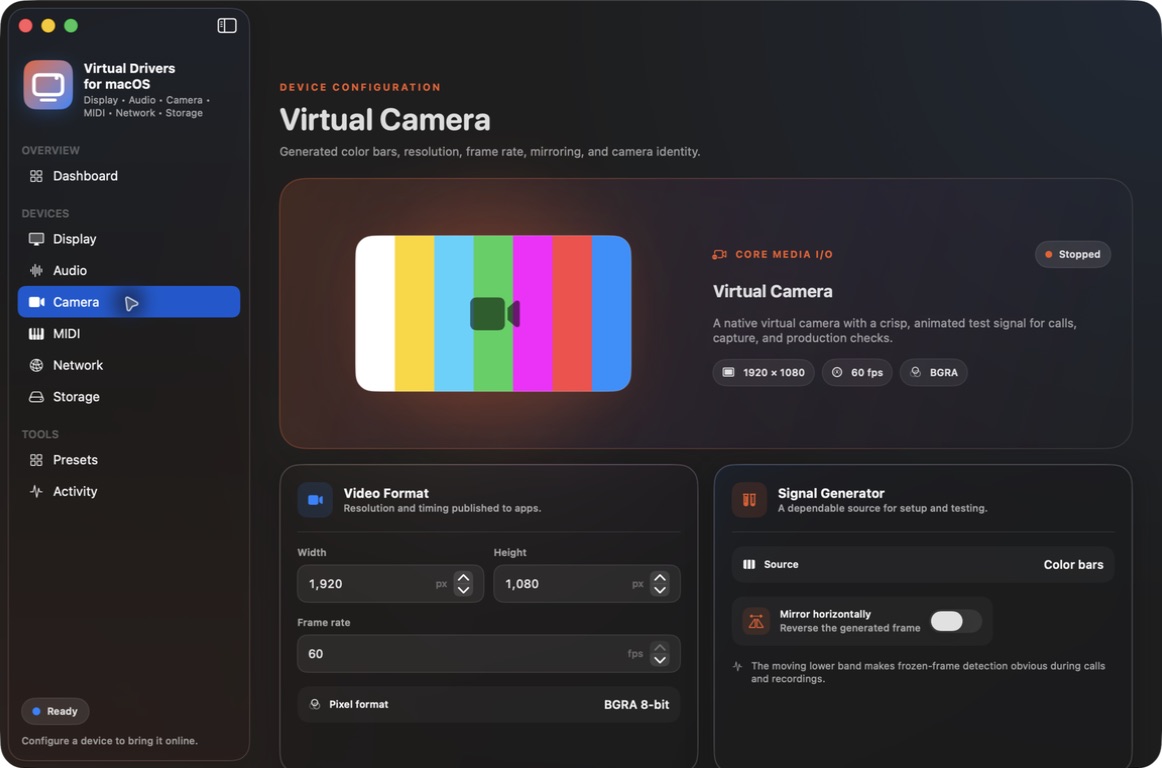
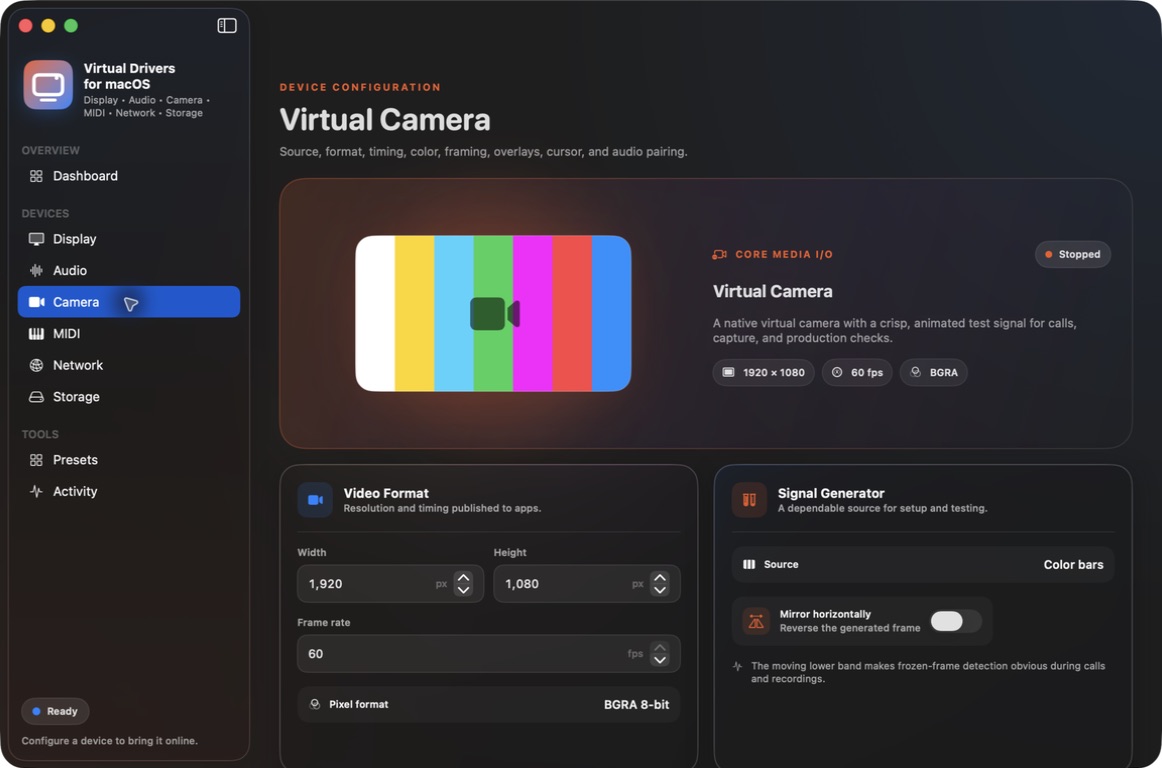
Choose a display, virtual display, window, application, physical camera, image, or video file. Each camera delivers its explicitly selected source as real video to conferencing, capture, and recording applications.
Configure names, frame sizes, frame rates, horizontal mirroring, rotation, aspect scaling, letterbox color, and text overlays. Missing sources and stale frames stop producing video. Screen Recording and Camera permissions are required for their respective live sources. HDR and embedded camera audio are unavailable.
Native MIDI 1.0 + MIDI 2.0 / UMP
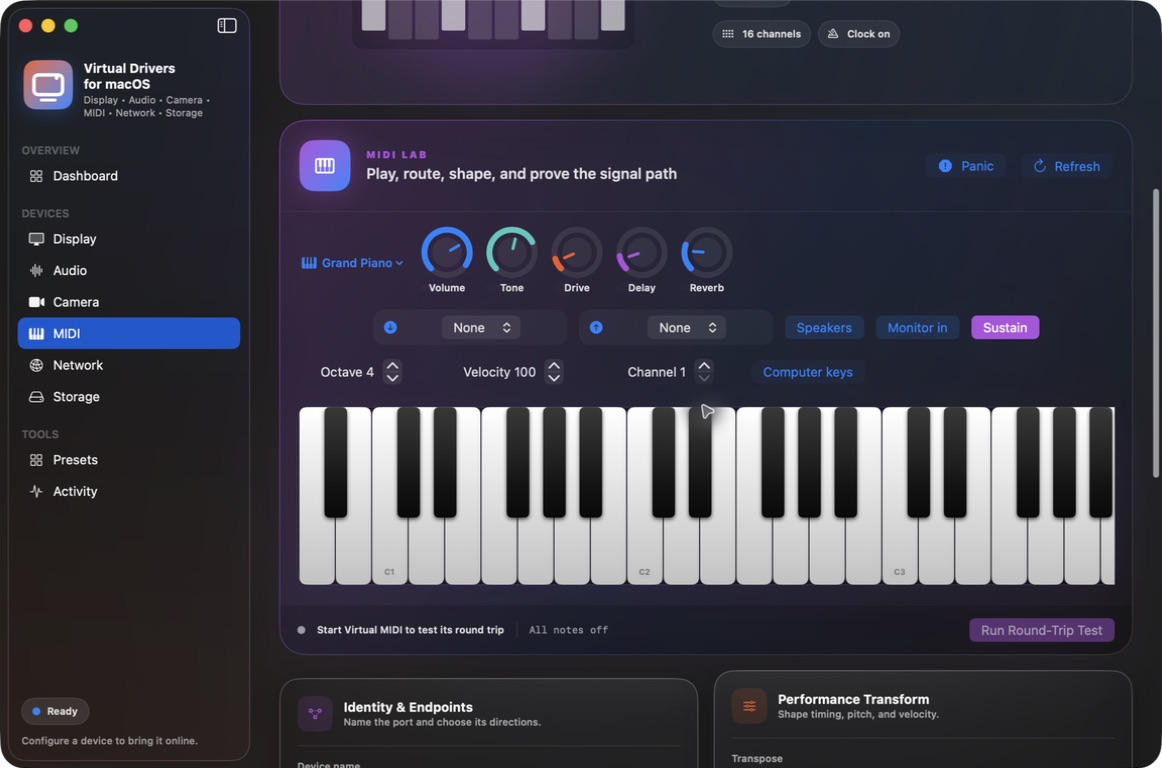
Create CoreMIDI source/destination pairs with native MIDI 1.0 or MIDI 2.0 event-list I/O. Configure channel filters, transpose, velocity, latency, clock, MTC, and SysEx forwarding. MIDI 2.0 retains full-resolution velocity and note attributes.
MIDI Lab includes an 88-key piano, seven synthesized sound profiles, sustain, effects, incoming monitoring, external output, and panic/all-notes-off. Local synth effects affect its audio; external instruments receive MIDI.
Keyboard, Mouse, Gamepad + Media Controls
Create real CoreHID devices using Apple's approved HID Virtual Device capability. Send keyboard usages, pointer reports, configurable gamepad buttons/axes/hats, or media controls. Stopping a device neutralizes held input before releasing it.
Requires macOS 15+ and Accessibility permission. Keyboards support ANSI, ISO, and JIS localization and native LED output reports. These virtual devices have no physical haptic actuators.
Encrypted Private Packet Transport
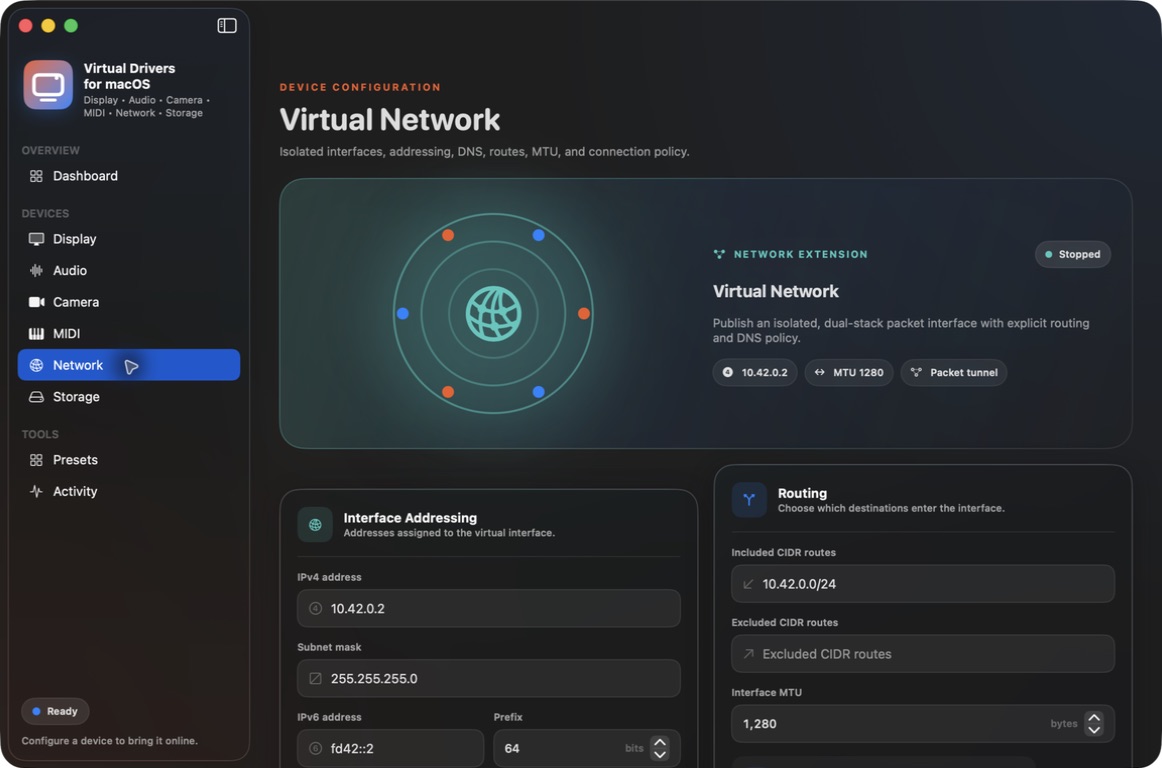
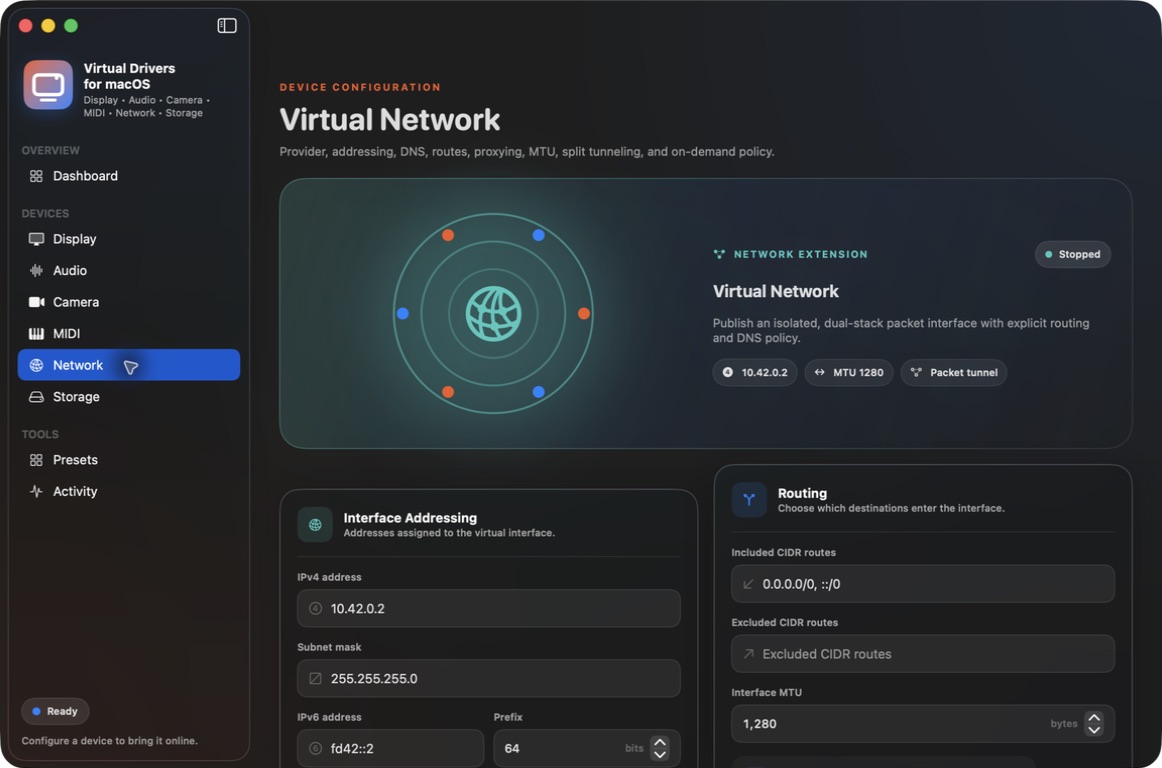
The packet-tunnel extension sends real IPv4/IPv6 traffic to your explicitly configured companion peer. ChaCha20-Poly1305 encryption, fresh directional session keys, replay protection, heartbeat failure detection, and actual packet/byte/error counters protect the connection. The peer key is stored in Keychain.
The included Python companion supports a Linux TUN interface for private kernel networking and an explicit nonprivileged ICMP acceptance-test mode. Configure and run your own peer before starting. Private subnet/ULA routes are enforced; public/default routes, global DNS replacement, automatic reconnect, and LAN-overlapping subnets are blocked. No public VPN service is supplied. macOS controls concurrent packet-tunnel operation.
AES-256 Virtual Storage
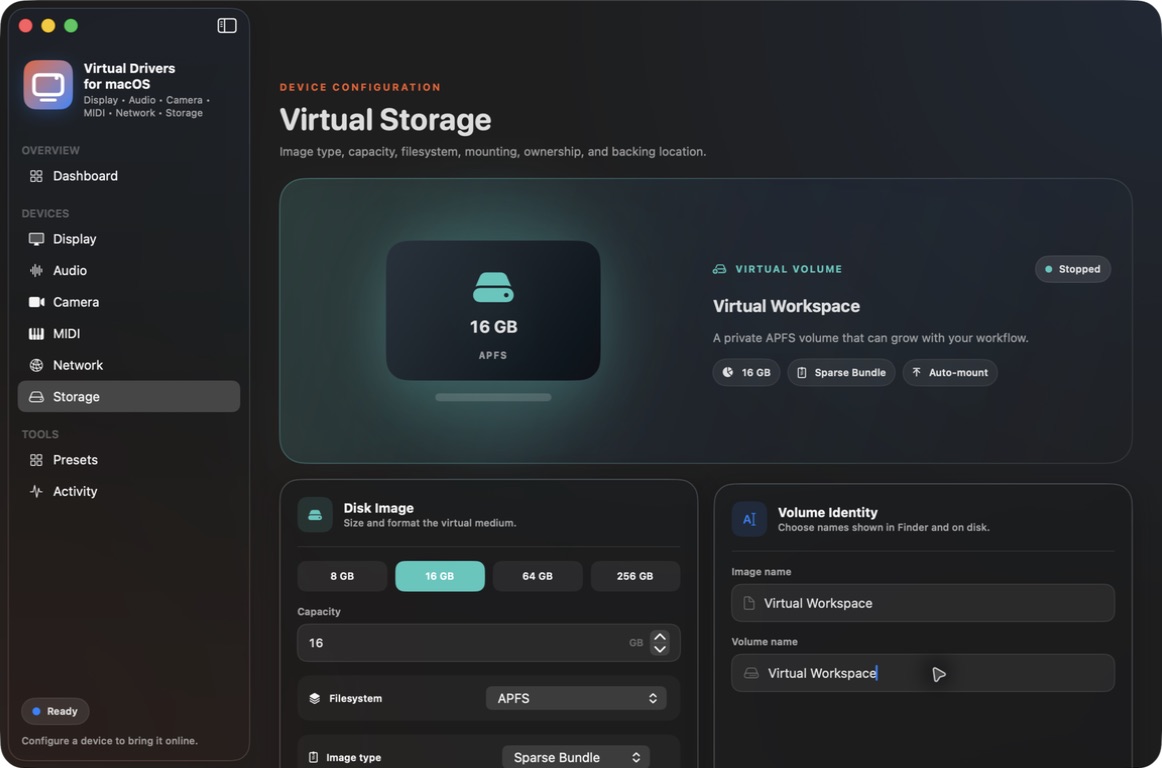
Create APFS, case-sensitive APFS, Mac OS Extended, and ExFAT images as sparse bundles, sparse images, or fixed images. Configure capacity, volume name, read-only mounting, ownership, mount point, and explicit backing-image reuse.
AES-256 encrypted images use a secure password prompt. Passwords are sent to hdiutil through stdin and are never saved in configuration or recovery records. Reuse requires a matching app-created manifest. Stop detaches the image without deleting its data; busy images remain available for a safe cleanup retry.
Full JSON CLI for scripts and app integrations
The bundled vdd command exposes all supported configuration and actions through 49 methods. Create and stop devices, read actual state and sources, select live display modes, update cameras, route audio, inject MIDI 1.0/UMP or HID input, mount storage, apply workflows, and control MIDI Lab, purchase access, and session activity.
JSON requests and replies include device IDs, operation states, and explicit errors. Multiple clients connect to one local GUI or persistent headless owner. Asynchronous creation and safe teardown can be queried and awaited. macOS installation and privacy approvals remain interactive. Passwords, peer keys, and download keys go through stdin and are omitted from configuration exports and status.
'/Applications/Virtual Drivers for macOS.app/Contents/MacOS/vdd' help
'/Applications/Virtual Drivers for macOS.app/Contents/MacOS/vdd' schema
'/Applications/Virtual Drivers for macOS.app/Contents/MacOS/vdd' status
A complete CLI reference and integration examples ship inside the app.
Purchase and Setup
- Unzip the download and move Virtual Drivers for macOS.app into Applications.
- Verify this product's itch.io purchase with sign-in or a download key. Access supports three Macs and a signed offline lease of up to seven days. Stop and cleanup remain available without a license.
- Approve the scoped Audio Helper and camera/network extensions when prompted. Grant Microphone access for input mixing, Screen Recording for screen sources, Camera for physical-camera sources, and Accessibility for HID. Allow access to selected files or removable volumes when macOS requests it. Follow any macOS restart request; relaunch the app after an extension upgrade before retrying a device.
- For networking, open the bundled Companion Peer folder and follow its setup instructions.
No SIP changes or reduced-security mode are required.
Requirements and Verification
Apple Silicon, macOS 14+. HID requires macOS 15+. Direct distribution outside the Mac App Store. This release uses real framework APIs and selected user sources; it contains no generated demonstration camera stream or fabricated traffic.
Automated and native acceptance checks cover UMP forwarding, encrypted UDP/ICMP round trips, image encryption/reuse/mount cleanup, HID descriptor validation, audio conversion, licensing, and resource recovery. These checks do not guarantee compatibility with every Mac, audio interface, game, DAW, or conferencing application. Gallery images may show earlier app revisions.
Window layout update
The purchase status and session actions sit at the bottom of the right panel. Verified purchases show Sign Out and Stop All without a Buy link. The sidebar keeps its full height, and the expanded right panel has no empty toolbar band. Collapsing the sidebar reserves space for the window controls so they do not cover the page heading.
Release verification — October 5, 2026
Current download: 26.10.5.6 (build 41). Developer ID signed, notarized by Apple, and stapled. All 64 app files in the actual itch download match the signed release, and the extracted download passed signature, notarization-ticket, and Gatekeeper checks. The release adds 28 workflow shortcuts, Advanced sections for all seven driver types, and 49 JSON CLI methods.
The app passed 89 tests with no failures or skips. Native packaged checks verified display modes and placement, selected-image camera pixels through AVFoundation, live camera updates, MIDI 1.0/UMP, HID input and neutralization, encrypted storage and read-only remounts, real IPv4/IPv6 traffic through the macOS packet tunnel, and safe GUI/headless cleanup. The same app process survived 60 incomplete or disconnected CLI-client cases. Advanced panels were visually checked at 980 and 1180 pixel widths with a real verified purchase.
Audio acceptance covers conversion/buffering and native hardware/helper discovery; physical loopback was not measured in this run. Test devices were stopped and storage images preserved. Fresh-Mac installation, reboot/sleep, another physical Mac, and every third-party consumer remain outside this acceptance run. Display output is SDR; HDR and live display rotation are unavailable.
Itch download SHA-256: 3cea6a41c206aba41876699c7b778407ae66173d4352fc48952ca19be5616b79
Purchase
In order to download this tool you must purchase it at or above the minimum price of $14.99 USD. You will get access to the following files: